How to Start an AI Afterschool Program at Your School
You have the site, the students, and three hours between 3 p.m. and 6 p.m. that need filling. Right now, those hours are probably a mix of homework help and gym time. Here is a better option: students create real, playable video games using AI tools and walk out with something they built, published, and can show anyone with a phone.
No coding background needed. No expensive hardware. A Chromebook and Wi-Fi will do it.
This guide walks through every step of launching that program at your school.
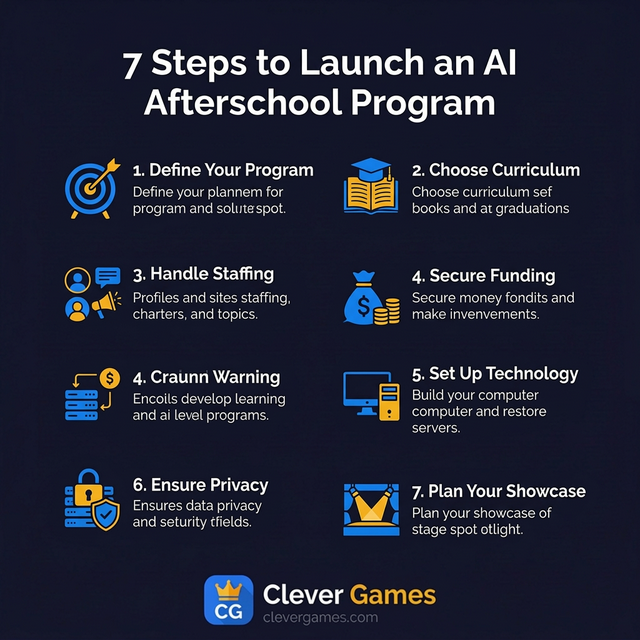
Step 1: Get clear on what you are offering
This is not a coding bootcamp. Students will not write JavaScript. They will not debug syntax errors.
What they will do: describe game mechanics, characters, and visual themes through structured prompts. The platform turns those descriptions into playable HTML5 games. The skill being taught is clear communication with AI tools, not programming.
Here is what students actually learn:
- Prompt engineering - writing specific instructions that produce specific results
- Computational thinking - breaking complex ideas into logical steps
- Digital storytelling - creating narratives, characters, and worlds through visual design
- Iteration - learning that the first attempt is never the final product
- Visual design thinking - color theory, layout principles, and user experience basics
- Collaborative problem-solving - building something with peers that no one student could make alone
These map to CSTA, ISTE, and Common Core standards, which matters when you are writing grant reports. They also align with the U.S. Department of Labor's AI Literacy Framework, which is gaining traction for K-12 programs seeking federal recognition.
Step 2: Pick your curriculum structure
Most afterschool programs run two to three hours per day, three to five days per week. A 12-week semester covers all six units:
| Weeks | Unit | What Students Do |
|---|---|---|
| 1-2 | Concept and Ideation | Brainstorm game ideas, pick a genre, define the creative vision |
| 3-4 | Wireframing and Design | Sketch layouts, choose color palettes, learn visual design basics |
| 5-6 | Asset Creation | Generate characters, backgrounds, and objects with AI tools |
| 7-8 | Game Logic | Define rules, interactions, win conditions, and fail states |
| 9-10 | Polish and Sound | Add sound effects, music, and animation |
| 11-12 | Review and Publish | Peer review, instructor approval, and publishing to a public library |
Shorter program? Compress to 6 weeks by doubling the pace. Summer session? Five days works. The structure bends to fit variable attendance, mixed grade levels, and the reality that students at 4 p.m. are not at their academic peak.
Mixed grade levels
This is the most common headache in afterschool settings. AI game design handles it naturally because the platform is the differentiator. A third grader makes a simple maze game with basic art. An eighth grader builds a platformer with custom animations, sound design, and layered game logic. Same tools, different depth.
Look for curriculum materials that include scaffolding suggestions for younger students and extension activities for advanced ones.
Step 3: Handle staffing
This is where most programs stall. Finding people who can teach both technology and creativity is hard.
There are three practical options:
Train your existing staff. If you already have site coordinators or afterschool leads, they can facilitate the program using a turnkey curriculum that includes lesson plans, vocabulary guides, and differentiation strategies. They do not need to be technical experts. The platform does the heavy lifting; the facilitator guides the creative process.
Partner with a staffing provider. Organizations like Afterschool.org (which utilizes a student-staffing model developed by Student Hires) can place trained facilitators directly at your school sites. This removes the hiring burden entirely and gives you staff who already understand the program.
Use college interns or volunteers. Many computer science and education programs require students to complete service learning hours. An AI game design program is exactly the kind of opportunity that attracts motivated college students. Partner with local universities or community colleges to create a pipeline.
Facilitator-to-Student Ratios
For most afterschool settings, a ratio of 1 facilitator per 15 to 20 students works well. If your students are primarily in grades 3 to 5, consider a tighter ratio of 1:12 to provide more individual support. For grades 6 and up, 1:20 is usually comfortable because older students can help each other and work more independently.
Step 4: Secure funding
AI afterschool programs qualify under multiple federal and state funding streams:
- Title IV-A (SSAE): Covers STEM, technology, and well-rounded education programs
- 21st CCLC: The largest federal afterschool funding source, supporting technology enrichment
- ASES: California state funding for expanded learning programs
- ELO-P: Expanded Learning Opportunities Program for TK-6 enrichment in California
- CTE / Perkins V: Career and technical education grants for technology and digital media
- ESSER / ARP: Learning recovery funds for engagement-focused technology programs
Each source has different rules for how funds can be used and what documentation you need. The key: frame your program in the language the grant expects. Standards alignment, measurable outcomes, engagement metrics, and compliance documentation.
For a complete breakdown of each funding source with ready-to-use grant documentation, visit the Clever Games Funding and Grants guide.
Step 5: Set up the technology
This is the easy part. A browser-based platform like Clever Games runs on any device with a web browser and internet. Chromebooks, iPads, laptops, desktops. Nothing to install, nothing to configure, nothing to maintain.
What you need:
- Devices: One per student (or one per pair for collaborative work). Any device with a modern web browser works.
- Internet: A reliable Wi-Fi or wired connection. AI tools require connectivity for asset generation and game creation.
- Accounts: An instructor or facilitator account to manage student rosters, monitor activity, and approve published games.
- Content filter check: Make sure your school's content filter does not block the platform URL. This is the most common technical issue and the easiest to resolve by submitting a whitelist request to your IT department.
That is it. No servers. No software licenses. No IT department involvement beyond the content filter check. The entire platform runs in the browser.
Step 6: Address privacy and safety
If you are working with students under 18, privacy is federal law, not a nice-to-have. Any platform you choose must be:
- COPPA compliant: No collection of personal information from children under 13 without verifiable parental consent. The platform should be designed so that students can participate using only a username and school-assigned credentials.
- FERPA compliant: Student education records are protected and not shared without authorization. The platform vendor should have a Data Processing Agreement (DPA) available for your district.
- Moderation-gated: Every piece of AI-generated content and every published game must be reviewed by an instructor before going live. There should be no path for a student to bypass this review.
- Role-based access: Facilitators should be able to monitor student activity, review prompts, and manage game submissions without accessing data they do not need.
Students should use usernames rather than real names on any public-facing content. The platform should not display student email addresses, school names, or any other identifying information on published games.
What to include in your parental consent form
If your school or district requires a technology consent form for new programs, include these points:
- Name and URL of the platform
- Description of what students will create (AI-generated games)
- Explanation of what data is collected (username, school association, game content)
- Explanation of what data is NOT collected (real names on public content, email addresses visible to other users)
- COPPA and FERPA compliance statement
- Contact information for questions
Most districts already have a template for technology consent. Adapt it to include the AI-specific context.
Step 7: Plan your showcase
The single most motivating event in any afterschool program is the showcase. Students present their finished games to families, teachers, and classmates. It turns an afterschool activity into an achievement the whole school community can see.
Ideas for your showcase:
- Demo Day: Set up stations where each student (or team) presents their game and explains their design choices. Give each student 3 to 5 minutes to walk visitors through their creative process.
- Gallery Walk: Display games on screens around the room and let visitors play them freely. Provide comment cards so visitors can leave positive feedback for each student.
- Awards Ceremony: Recognize categories like Most Creative Concept, Best Visual Design, Smoothest Gameplay, Best Sound Design, and Audience Favorite. Consider letting students vote on peer categories.
- Live Stream: Share the showcase virtually so families who cannot attend in person can still participate. Screen-share a walkthrough of each game.
Students who publish a game on a platform like Clever Games also get a shareable URL they can show to anyone, anywhere, at any time. That URL becomes a portfolio piece they can reference for years.
Step 8: Measure and report outcomes
Grant-funded programs require outcome reporting. Even if your program is not grant-funded, measuring outcomes helps you demonstrate value to administrators and secure continued support.
Key metrics to track:
| Metric | How to Measure | Why It Matters |
|---|---|---|
| Attendance rate | Daily sign-in sheets or platform login data | Shows sustained engagement over time |
| Curriculum completion | Track which units each student completes | Demonstrates learning progression |
| Games published | Count of student games that pass instructor review | Tangible output metric |
| Prompt complexity | Platform analytics on prompt length and specificity | Shows skill development in AI literacy |
| Student satisfaction | End-of-program survey | Qualitative feedback for reports |
A good platform will provide most of these metrics automatically through an instructor or administrator dashboard.
Common pitfalls and how to avoid them
After working with dozens of schools, these are the mistakes we see repeated:
Starting without buy-in from site staff. If the facilitators do not understand why this program matters, they will treat it as babysitting. Invest 30 minutes in a staff orientation before launch.
Skipping the unplugged activities. The first session should be paper-based: sketching game ideas, writing descriptions, discussing what makes a game fun. Students who skip the ideation phase produce weaker games.
Allowing unlimited free exploration on day one. Students need structure first, freedom later. The curriculum units exist for a reason. Let students explore after they have completed at least two units.
Not celebrating the work. A student who publishes a game with no audience feels like the work did not matter. Plan the showcase from day one and mention it regularly.
Forgetting to communicate with families. Send a brief introduction letter home in week one explaining what the program is and what students will create. Invite families to the showcase in week 10.
What success looks like
A successful AI afterschool program does not just fill hours. It gives students something they made, something they can show anyone, and skills that carry into every other subject. When a student walks up to a parent and says "I made this game, play it on your phone right now," that moment sticks.
The barrier to entry is lower than you think. A browser, Wi-Fi, and a facilitator who cares. The students who benefit most are often the ones hardest to reach through traditional academic programs.
Ready to get started? Explore the Clever Games Afterschool Program or reach out to our team for a walkthrough.
The Clever Games team writes about AI in education, game design, and the future of K-12 computer science. We build tools that help students learn by creating.
View all articles →